
Download Workout Go – Fitness App, Home Workouts, No Equipment, Free Workout Tool
Overview
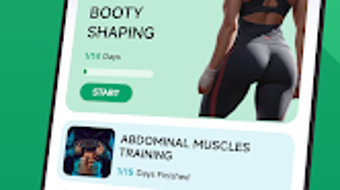
Workout Go is a mobile fitness application designed for Android users seeking a convenient way to maintain a consistent exercise routine at home. The app focuses on equipment-free workouts, making it ideal for individuals who prefer exercising without gym access or fitness gear. It provides structured training plans tailored to specific muscle groups, including the buttocks, abdominal muscles, and arms, enabling users to target key areas for strength and toning.
The application supports personalized fitness goals, allowing users to align their routines with desired outcomes such as muscle shaping or improved endurance. A built-in training report feature tracks calorie expenditure during sessions, helping users monitor progress and stay accountable. Additionally, Workout Go includes a recipe reference section offering healthy meal ideas to complement workout efforts and support balanced calorie intake.
This dual focus on physical training and nutrition planning positions the app as a holistic tool for home-based fitness. It is particularly suited for beginners and intermediate users aiming to stay motivated and achieve long-term results. The app is available at no cost through the Google Play Store, enhancing its accessibility for a broad audience.
Key Features & Capabilities
- Equipment-Free Workouts: Designed for users without gym access or fitness equipment, offering bodyweight exercises that can be performed anywhere.
- Targeted Training Plans: Specialized programs focused on specific areas such as the buttocks, abs, and arms, enabling users to shape and strengthen key muscle groups.
- Personalized Fitness Goals: Allows users to set and track individual objectives, adjusting routines to match their fitness levels and ambitions.
- Training Report Feature: Tracks calorie expenditure during workouts, providing insight into energy output and helping users manage their fitness progress.
- Nutrition Support: Includes a recipe reference section with healthy meal ideas to support calorie management and overall wellness.
These capabilities enable users to build a sustainable fitness habit from home. For example, a beginner aiming to tone their core can follow the abdominal-focused plan while using the calorie report to assess workout intensity. Similarly, someone targeting glute development can use the dedicated buttocks program alongside meal suggestions to support recovery and muscle growth. The integration of workout tracking and dietary guidance offers a cohesive experience that supports both physical activity and healthy eating habits.
User Interface, Workflow & Performance
Workout Go features a clean, intuitive interface designed for ease of navigation on mobile devices. The layout prioritizes accessibility, allowing users to quickly select workout plans, view exercise instructions, and access progress reports. Navigation is straightforward, with a main menu that organizes content by body part and fitness goal.
Users can start a session with minimal taps, making the app suitable for on-the-go use. The workflow is streamlined to support consistent engagement, from selecting a plan to logging completion and reviewing performance data. While specific performance metrics were not disclosed, the app operates within a typical mobile application framework, suggesting stable operation under standard conditions.
The developer did not specify resource usage details, so CPU and RAM behavior remain unknown. However, the app’s lightweight size of 15.4 MB indicates efficient design and minimal storage impact. Stability is expected to be consistent for regular use, though real-world performance may vary based on device capabilities and network conditions.
Compatibility & System Requirements
Workout Go is designed for Android devices and is compatible with the latest versions of the operating system. The app is available in version 1.1.2 and has a file size of 15.4 MB, indicating a compact installation footprint. The developer did not provide additional system requirements, so exact hardware specifications such as minimum RAM, processor type, or storage space are not available.
Compatibility information is limited to the Android platform, and no details were shared regarding older OS versions or specific device models. Users should ensure their device meets general Android compatibility standards for app installation. The absence of detailed system requirements means that installation and performance may vary across different devices.
For optimal experience, users are advised to install the app on a device with sufficient storage and updated system software.
Pros and Cons
Pros
- Free to download and use, making it accessible to a wide audience.
- Designed for home workouts with no equipment needed.
- Offers targeted training plans for specific muscle groups.
- Includes calorie tracking and nutrition guidance for holistic fitness support.
- Compact file size of 15.4 MB ensures minimal storage usage.
Cons
- No information provided on device compatibility beyond Android.
- Exact performance and resource usage details were not specified.
- Limited to Android platform; no support for iOS or desktop systems.
- App features are not described in technical depth, limiting advanced user insight.
- Availability is restricted to the Google Play Store, excluding alternative distribution channels.
FAQ Section
Is Workout Go available for iOS devices?
Workout Go is currently only available for Android users. There is no official version for iOS devices at this time.
Can I use Workout Go without an internet connection?
While the app may offer some offline functionality, specific details on offline usage were not provided by the developer.
Is Workout Go safe to download and use?
Workout Go is available for free download on the Google Play Store, which provides a secure environment for app distribution. Users are advised to download only from official sources to ensure safety.
How often are updates released for Workout Go?
The current version is 1.1.2, released on March 21, 2024. Update frequency is not specified, but regular updates are common for fitness apps to improve features and fix issues.
Does Workout Go require a subscription or in-app purchases?
Workout Go is offered as a free application with no mention of subscription models or in-app purchases in the available information.
Final Thoughts + CTA
Workout Go presents a practical and accessible solution for individuals seeking to maintain a fitness routine at home without relying on equipment or gym memberships. Its focus on bodyweight exercises, combined with personalized training plans and nutritional guidance, supports a well-rounded approach to health and wellness. The app’s lightweight design and free availability enhance its appeal, particularly for beginners and intermediate users who value convenience and affordability.
While detailed system requirements and performance data are not provided, the app’s compact size and stable structure suggest efficient operation on compatible devices. For Android users looking to stay active, track progress, and improve fitness through structured routines and healthy eating, Workout Go offers a compelling option. The integration of workout tracking and meal planning creates a seamless experience that encourages long-term engagement.
Download Workout Go now and take the first step toward a healthier lifestyle.







